Feature #24: Scale via bilinear interpolation
Scale the image (smaller or larger) via a smarter algorithm than nearest-neighbor.
Feature description
Scale the image (smaller or larger) via a smarter algorithm than nearest-neighbor.
| Parameters | value |
|---|---|
| name | scale_bilinear |
| Command | -c scale_bilinear X (with X the scale, such as 0.5 or 3) |
| Input | an image |
| output | a new image image_out.bmp scaled by X from the input image |
Usage
./freud.exe -f images/input/image.jpeg -c scale_bilinear 3Output
A new image image_out.bmp, but 3 times larger than the input image
Tips for implementing the feature Do not hesitate to look for resources online to find out how the algorithm works.
For instance (https://towardsdatascience.com/image-processing-image-scaling-algorithms-ae29aaa6b36c): 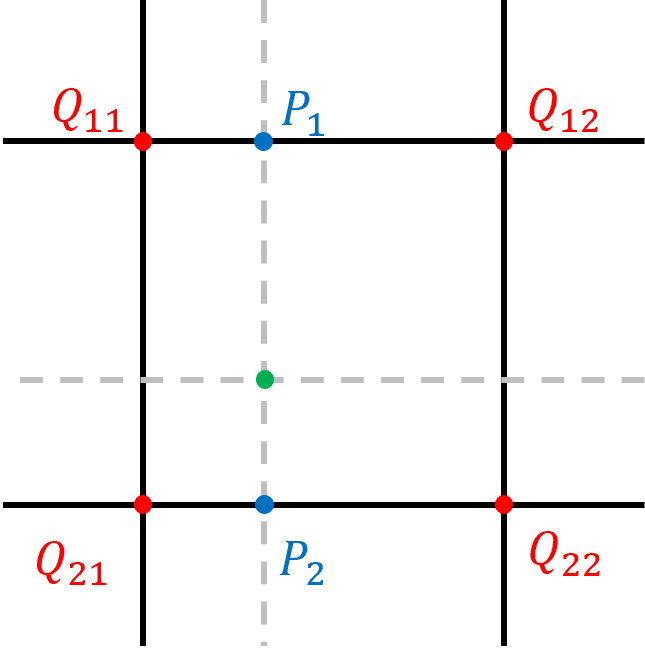
Careful: there are several online resources that do not cover every aspects of the algorithm. You might end up with black pixels and holes in your resulting image.
Additional information
Example (scale=0.5):
| Input | Output |
|---|---|
 |
 |